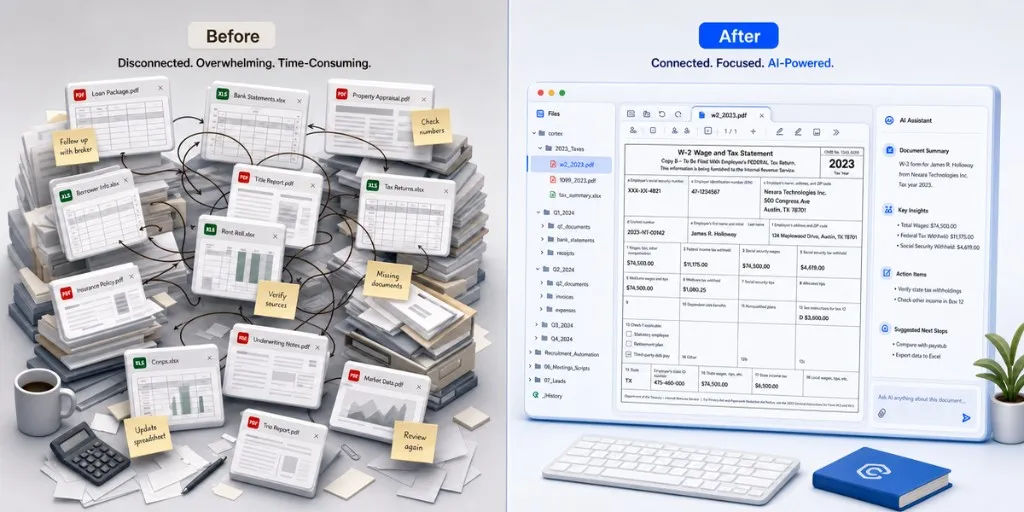
This guide compares 12 AI tools used by accounting firms and in-house finance teams in 2026. We group them by workflow: bookkeeping, tax research, document capture, and multi-source analysis. Each entry covers what the tool does, where it fails, and which firm profile it fits.
Our evaluations are based on official vendor documentation, hands-on product research, and feedback from accounting firms. Where vendors publish performance metrics, we cite them directly. However, we advise treating all vendor benchmarks as marketing claims until you validate them on your own client data.
For a full overview of AI in accounting — tools, workflows, and secure local automation — see our AI in Accounting guide.
We established a standardized testing framework based on three labor-intensive accounting workflows to evaluate these platforms. We tested them using anonymized real-world client datasets to measure how they perform under pressure.
- Multi-Source Reconciliation: Matching a 500-line bank statement in PDF format against an Excel ledger, identifying mismatched figures, duplicate transactions, and timing differences.
- Crumpled Document Extraction: Extracting line-item data (vendor, tax ID, dates, and amounts) from scanned, low-resolution, or physically folded receipts and invoices in under 45 seconds.
- Complex Statutory Tax Search: Querying a specialized tax scenario (such as Section 1202 Qualified Small Business Stock qualifications) to see if the tool provides verifiable IRC/IRS citations or hallucinates references.
We graded each tool based on extraction accuracy, data security (local vs. cloud), and the volume of manual clicks/context-switching required to complete the task.
Use the table below to compare the 12 best AI tools for accountants side by side before reading the workflow sections.
| Tool | Best for | Core Workflow | Autonomous Action? | Data Privacy |
|---|
| Cortex Workspace | Multi-workflow at scale | Cross-file analysis, browser automation, secure drafting | Yes (Desktop Agent) | Maximum (Local-first processing) |
| Pilot | Outsourced bookkeeping | Month-end close, transaction categorisation, reporting | No (Human-in-the-loop) | High (Cloud secure) |
| Zeni | Startup finance operations | Bookkeeping, bill pay, real-time financial insights | No (Human-in-the-loop) | High (Cloud secure) |
| Digits | AI-native workflows | Automated bookkeeping, real-time financials, invoicing | Partially (Assisted) | High (Cloud secure) |
| Puzzle | Startup accounting and close | Continuous reconciliation, integrations, month-end close | Partially (Assisted) | High (Cloud secure) |
| Keeper | Tax-season coordination | Client communication, document collection, tax workflow | No (Chat interface) | High (Cloud secure) |
| TaxGPT | Tax research | Citation-backed answers to federal and state tax queries | No (Chat interface) | Moderate (Cloud database) |
| Blue J | Higher-stakes tax research | AI-powered tax research and source-backed analysis | No (Chat interface) | High (Cloud legal base) |
| Dext | Receipt and invoice extraction | Document capture, receipt data extraction, AP support | Partially (Auto-capture) | High (Integration secure) |
| AutoEntry | Automated document capture | Invoice and receipt extraction into accounting software | Partially (Auto-capture) | High (Integration secure) |
| QuickBooks / Xero / NetSuite | Native accounting-platform AI | Categorisation, bank reconciliation, reporting automation | Partially (Auto-suggest) | High (Ecosystem secure) |
Many practitioners wonder if general AI assistants like ChatGPT, Claude, or Gemini can replace specialized accounting software. While general LLMs are excellent at writing emails or summarizing text, they fail on core accounting workflows for two primary reasons:
- The Context-Switching Tax: To use ChatGPT or Claude, you must copy-paste data back and forth between your spreadsheets, emails, and the chat window. Juggling 12 separate tools and 50 open browser tabs eats up the very time AI is supposed to save.
- The Data Privacy Wall: Uploading sensitive client tax forms, P&L statements, or proprietary ledgers to public cloud interfaces violates standard CPA confidentiality and SOC2 protocols.
- General AI Assistants (ChatGPT/Claude/Gemini): Best for drafting, ad hoc brainstorming, and open-ended research. However, they lack direct file access, can't operate desktop programs, and raise massive privacy concerns.
- Specialized Point Solutions (Dext/TaxGPT): Excellent for a single workflow (like extracting receipts or checking tax codes) but cannot bridge multiple systems or handle complex, cross-document reconciliation tasks.
- Desktop AI Workspace (Cortex): Sits locally on your desktop to bridge the gap. It runs general LLMs inside your private local environment, letting you query across spreadsheets, PDFs, local client folders, and browser portals simultaneously without your data leaving your machine.
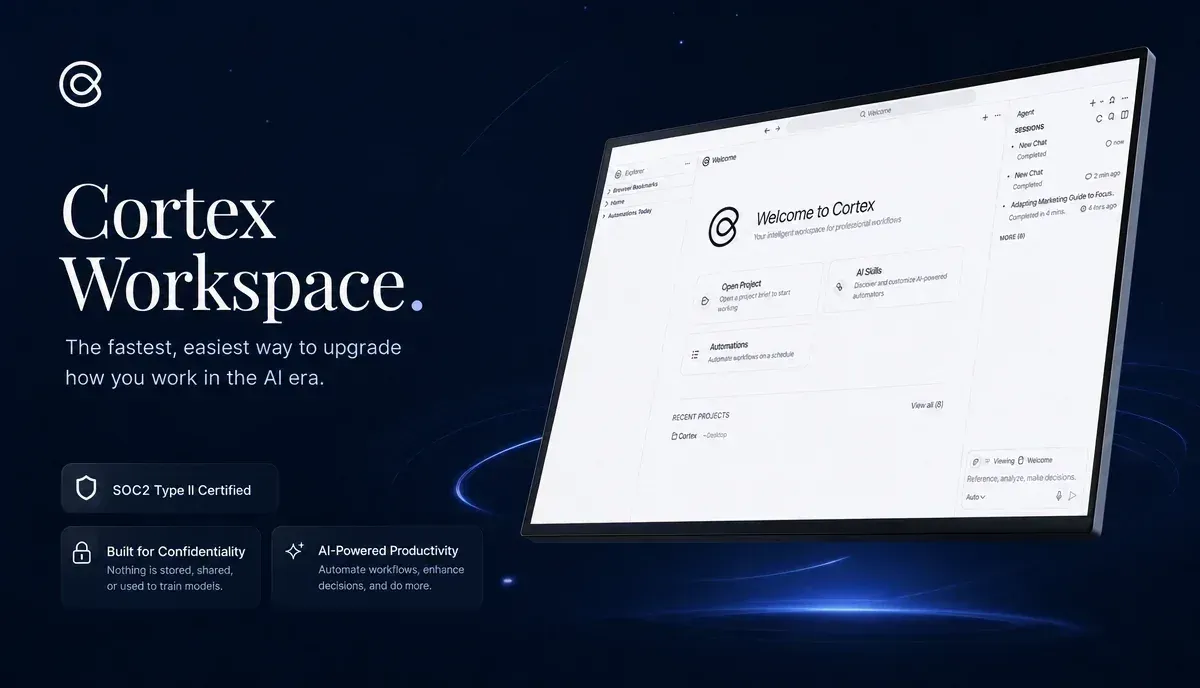
Most accounting tools focus on a single workflow. However, actual month-end tasks require pulling from multiple sources. A single close deliverable often demands access to the general ledger, prior working papers, expense policies, emails, and client notes simultaneously.
For firms evaluating accounting AI agents, Cortex Workspace runs locally on your desktop. It securely connects documents, web browsers, and local folders in a single session. Instead of limiting you to receipt capture or tax Q&A, Cortex coordinates workflows across bookkeeping, tax review, reconciliation, and reporting.
Example prompt:
"Pull last month's expense variances, cross-reference against the approved budget and vendor contracts, and draft a variance memo highlighting anything over 10%."
Cortex Workspace pulls the source files and returns a draft memo in the same workspace. You review and sign off; you do not rebuild the analysis from scratch.
For a step-by-step walkthrough, see How to Automate Your Accounting Workflow. To compare Siri, chat assistants, and desktop agents, see Siri App Intents vs AI Desktop Agent for Productivity in 2026.
Sample Workflows Cortex runs in one session:
- Bookkeeping: extract vendor, date, and amount from invoices and receipts in a folder, assign expense categories, output a date-sorted Excel ledger
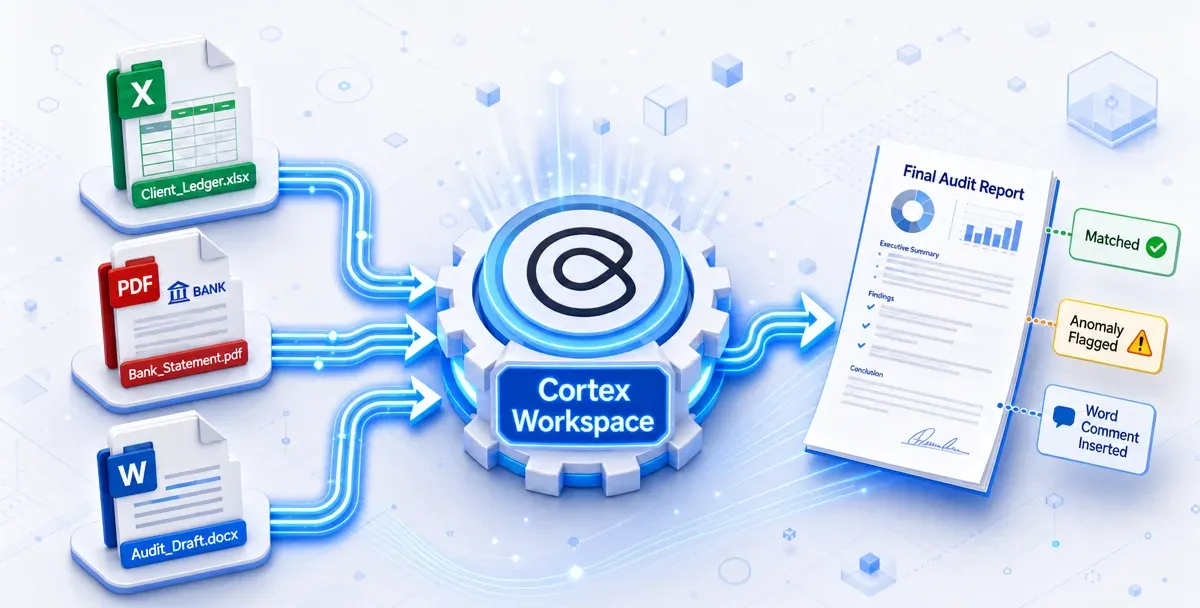
- Tax review: compare Word report drafts to Excel working papers and PDF bank statements; flag figure mismatches with native Word comments
- Reconciliation: match ledger lines to bank statements; flag unmatched items, duplicates, and timing differences
- Reporting: build P&L and balance sheet summaries from a reconciled ledger, by category, with period-over-period variance
| Workflow | Manual process | With Cortex Workspace |
|---|
| Wealth management reconciliation | PDF statements, Excel workpapers, and live portal data open in 3 windows | 83% time reduction; all three sources in one session with cell-level exception pointers |
| Tax audit working paper review | 1–2 hours per report checking Word drafts against Excel and PDF appendices | 10–20 minutes per report (80% time saving); cross-file matching at 95%+ accuracy |
In both cases, the accountant retained sign-off. Cortex ran the cross-checks. Staff reviewed exceptions, corrected miscategorisations, and approved the output.
Findings linked to specific cells and document locations, not generic error logs.
Ready-to-run prompts for each step are on the Cortex Accounting Solutions page: bookkeeping, adjustments, reconciliation, and reporting.

Bookkeeping requires daily recording and classification of financial transactions. This includes bank reconciliation, accounts payable, accounts receivable, and expense categorization. These tasks feed the monthly close and standard financial statements like P&Ls and balance sheets.
AI bookkeeping tools target firms and businesses that spend disproportionate time on transaction processing rather than advisory work. Typical buyers include:
- CPA and bookkeeping firms serving high volumes of SMB clients who need scalable transaction processing
- Startups and growth-stage companies without a full in-house finance team
- VC-backed companies that need bookkeeping plus broader finance operations (bill pay, runway reporting)
- Accounting firms with early-stage client bases that need accountant-facing workflows, not just client self-serve software
The following platforms focus on automating routine bookkeeping. They handle transaction categorization, reconciliation software matching, and standard financial reporting for small to mid-size businesses.
Pilot offers bookkeeping services for startups and small businesses, including monthly closes, categorization, and reporting. The service combines software with human expert support rather than acting as a pure self-serve app. It best fits growing companies that want to outsource their entire bookkeeping function.
Zeni is an AI-powered bookkeeping platform backed by a dedicated finance team. It supports financial management, real-time insights, and bill pay operations. This tool best fits venture-backed startups that need comprehensive back-office finance support without a full-time in-house team.
Newer entrants focus on accountant-facing workflows rather than simply replacing the firm. Digits is an AI-native accounting platform covering automated bookkeeping, real-time financials, invoicing, and reporting.
Puzzle is designed for startups and accounting firms, offering continuous reconciliation, integrations, and faster month-end close workflows. Both are excellent options if your firm serves early-stage companies.
Where this category falls short: These platforms work best on clean, standardised data from well-organised clients. Edge cases, complex entities, intercompany transactions, and non-US tax treatments still require significant manual handling.
AI tax workflows span from client intake to filed returns. This includes client communication, document collection, organizer preparation, return assembly, and ad hoc tax research on code sections and positions.
Several new ai tools for tax and bookkeeping 2026 target only one half of that pairing. The tools below focus on the tax workflow specifically.
These tools target firms where tax season coordination or research eats disproportionate hours. Typical buyers include:
- Solo practitioners and small firms running high volumes of individual and small business returns
- Tax practices drowning in client follow-ups — missing documents, status checks, organiser chasing
- Any accountant doing regular tax research on unfamiliar code sections, state rules, or client-specific positions
- Mid-size and large firms / in-house tax teams handling complex planning, M&A, or higher-stakes positions that need source-backed analysis
The tools below split across two sub-workflows: tax-season operations (Keeper) and tax research (TaxGPT, Blue J). For a tax-prep-focused comparison with intake, Schedule C categorization, and secure desktop workflows, see Best AI Tools for Tax Preparation in 2026.
Keeper combines AI with human review for tax filing and expense support. It is highly effective for self-employed clients and individual tax situations. For accounting practices, the tool streamlines client communication, document collection, and return-status tracking. It best fits solo practitioners managing high volumes of individual returns.
TaxGPT is an AI tax assistant designed to answer federal, state, and local tax questions. It pulls citation-backed answers from the IRC, Treasury Regulations, IRS guidance, and tax court cases. This tool best fits tax practitioners who spend substantial hours on ad hoc research.
Blue J delivers AI-powered tax research with verifiable sources. It provides tax professionals with structured legal analysis to support their professional planning. This tool best fits mid-sized to larger firms handling complex corporate planning, transactional research, and higher-stakes tax positions.
| TaxGPT | Blue J |
|---|
| Primary Focus | Tax research, document analysis, and return review | AI tax research with inline citations and source verification |
| Source Library | IRC, Treasury Regulations, IRS/CRA guidance, and court cases across all 50 US states and Canada | Primary legal sources, Tax Notes, and IBFD cross-border content |
| Document Analysis | Upload and query PDFs in batch | Attach returns and agreements; "Ask a Document" for single-file deep dives |
| Coverage Breadth | 1,000+ tax forms; federal, state, local, and Canadian jurisdictions | Strong US, Canadian, UK, and international (IBFD) coverage |
| Best Fit | Any firm needing fast, citation-backed research across jurisdictions | Larger firms, complex planning, cross-border work, or teams relying on Tax Notes |
Where this category falls short: All three tools require accountant review. TaxGPT and Blue J still produce errors on highly specific or novel questions — treat output as a strong starting point, not a final answer.
#AI Document Processing: Dext, AutoEntry
AI document processing automates the capture and extraction of data from financial paperwork — receipts, invoices, bank statements, and bills — then categorises and publishes it into accounting software such as QuickBooks, Xero, or Sage. It replaces the manual step of reading a document and typing line items into the ledger.
These tools target firms where document volume, not judgment, is the bottleneck. Typical buyers include:
- Bookkeeping and CPA firms processing high transaction volumes across multiple clients
- Practices with heavy AP or expense workflows — vendor invoices, employee reimbursements, client receipt piles
- Firms whose clients submit unstructured documents (photos, PDFs, email attachments) rather than bank feeds or CSV exports
- Teams already on QuickBooks, Xero, or Sage that want to automate the document-to-ledger pipeline without changing platforms
The platforms below focus on receipt and invoice extraction with direct ledger integrations. Dext reports processing 350 million documents to date, including 31.4 million in January 2026 alone. AutoEntry reports over 28 million documents processed annually.
Dext estimates that manual handling takes 3 to 4 minutes per document, claiming that automation cuts this by 90%. We highly recommend validating these extraction metrics on your own client files before committing.
Dext automatically extracts transactional details from invoices and statements, reducing manual entry for accounts payable. It integrates directly with major ledgers like QuickBooks, Xero, and Sage. This tool best fits bookkeeping practices managing high transaction volumes. For a broader look at automated document ingestion, see our guide on How AI Agents Automate Document Processing.
#AutoEntry
AutoEntry offers automated capture from invoices, receipts, and bills, followed by direct publishing into accounting systems. It connects with Sage, QuickBooks, Xero, and other ledger systems. It is highly competitive with Dext and serves as a strong alternative depending on your current software stack.
#Dext vs AutoEntry
| Dext | AutoEntry |
|---|
| Best For | High-volume firms needing broad bank-feed and third-party integrations | Sage-centric practices; teams using Sage for Accountants |
| Integrations | 30+ accounting packages and 11,500+ bank feeds | Sage, Xero, QuickBooks, FreeAgent, Iris, and KashFlow |
| Accuracy Claim | 99.9% extraction accuracy | Up to 99% accuracy with automated quality checks |
| Scale | 350M+ documents processed historically | 28M+ documents processed annually |
| Ownership / Pricing | Owned by IRIS Software Group | Owned by Sage; monthly or bundled subscription |
Where this category falls short: Extraction accuracy drops on non-standard documents, handwritten receipts, and multi-page invoices with variable layouts. Always spot-check high-value transactions.
Native platform AI is automation built directly into the general ledger you already run. This includes bank-transaction matching, categorization suggestions, and standard reconciliation prompts without requiring external document software.
These features target firms that want efficiency gains without new vendor relationships or per-seat subscriptions. Typical buyers include:
- Practices already standardised on QuickBooks, Xero, or NetSuite across most clients
- Firms with clean bank feeds and consistent chart-of-accounts structures where AI suggestions can learn from history
- Teams prioritising low setup overhead over best-in-class extraction or tax research depth
These native capabilities are not new, but they have expanded significantly. QuickBooks now uses automated prompts to match and categorize transactions based on historical postings.
Xero and other primary ledgers are building deeper automation into bank reconciliation, basic data capture, and reporting. For firms already using these platforms, enabling these native tools offers a high ROI on setup time.
NetSuite's AI features are more relevant for larger entities and mid-market clients. The automation quality is improving, but still requires more configuration than the SMB-focused platforms.
Vendor launches, pricing shifts, and platform updates keep ai updates news for accountants automation 2026 moving quickly. Before committing to any new tool, run it against four questions:
1. Where does it fail? Every AI tool has edge cases where it produces wrong output confidently. Ask the vendor for documented failure modes. If they can't tell you, that's a red flag. Test with your own messy data before going live with client work.
2. Who reviews the output? AI tools in accounting are not fire-and-forget. Every tool in this list requires accountant review of some kind. The review process needs to be built into the workflow explicitly, not assumed.
3. Does the error cost exceed the efficiency gain? An AI document processing tool that saves 4 hours per week but introduces one billing error per month may not be net positive. Calculate both sides before adoption.
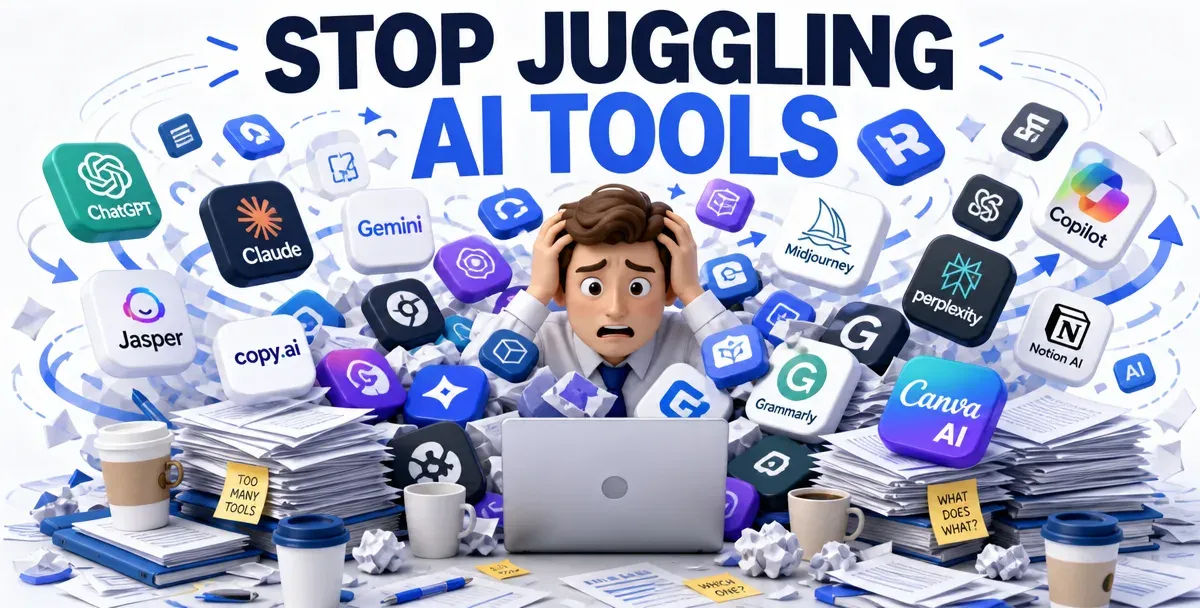
4. How does it fit your existing workflow? The best AI tool does not help if it lives in yet another tab. Many accountants already juggle 12 separate programs and 50 open browser tabs to copy data between ledgers, email, spreadsheets, and portals. This tedious manual context-switching is often the real bottleneck.
Before adopting a tool, evaluate whether it integrates smoothly or adds another silo. Cortex Workspace is designed to sit directly alongside your existing files and software (QuickBooks, Xero, Excel, Outlook, and local folders). You can query across them in a single session instead of assembling information by hand.