Cortex AI: 4 Steps to Process a Loan File
Cortex is the AI workspace for enterprise. Processing a loan file means jumping between pay stubs, bank statements, credit reports, and your LOS — Encompass, LendingPad, Calyx Point, or whatever you use — manually calculating income, checking liabilities, and retyping data into fields. For every single borrower. Cortex reads the documents, logs into your LOS, and does the heavy lifting while you stay in control.
Getting Started
Open a borrower's folder and your LOS / lender portal side by side in Cortex. All local files stay on your computer.
Process the entire loan file
“Review this loan file, calculate income from pay stubs, analyze assets from bank statements, and flag anything that might be an issue for underwriting.”
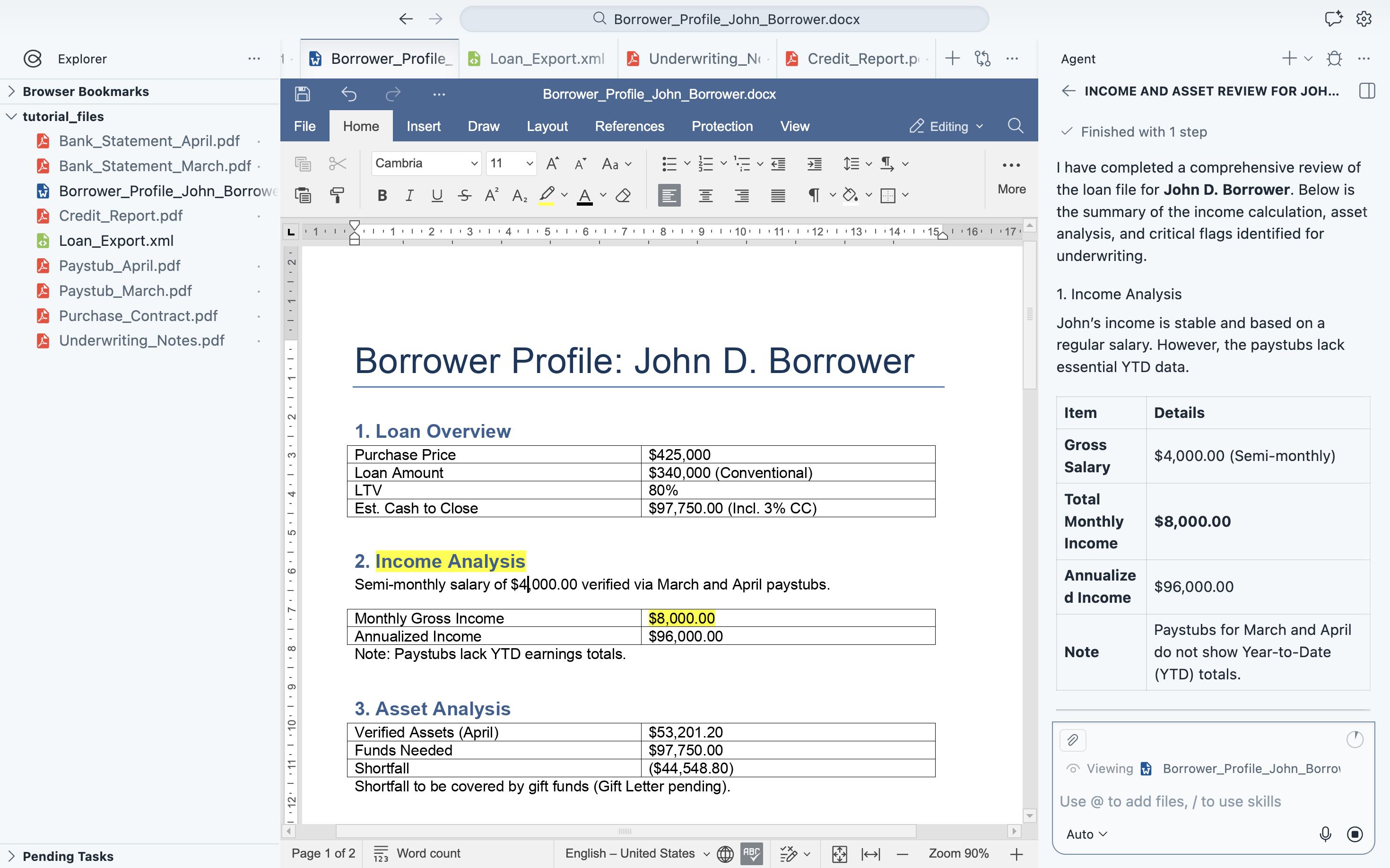
Cortex calculates borrower income from pay stubs, extracts assets from bank statements, identifies unusual transactions like large deposits, and flags potential underwriting risks — all in one pass.
Pull in credit data and calculate liabilities
“Pull in the latest credit report and include liabilities based on FHA or conventional guidelines.”
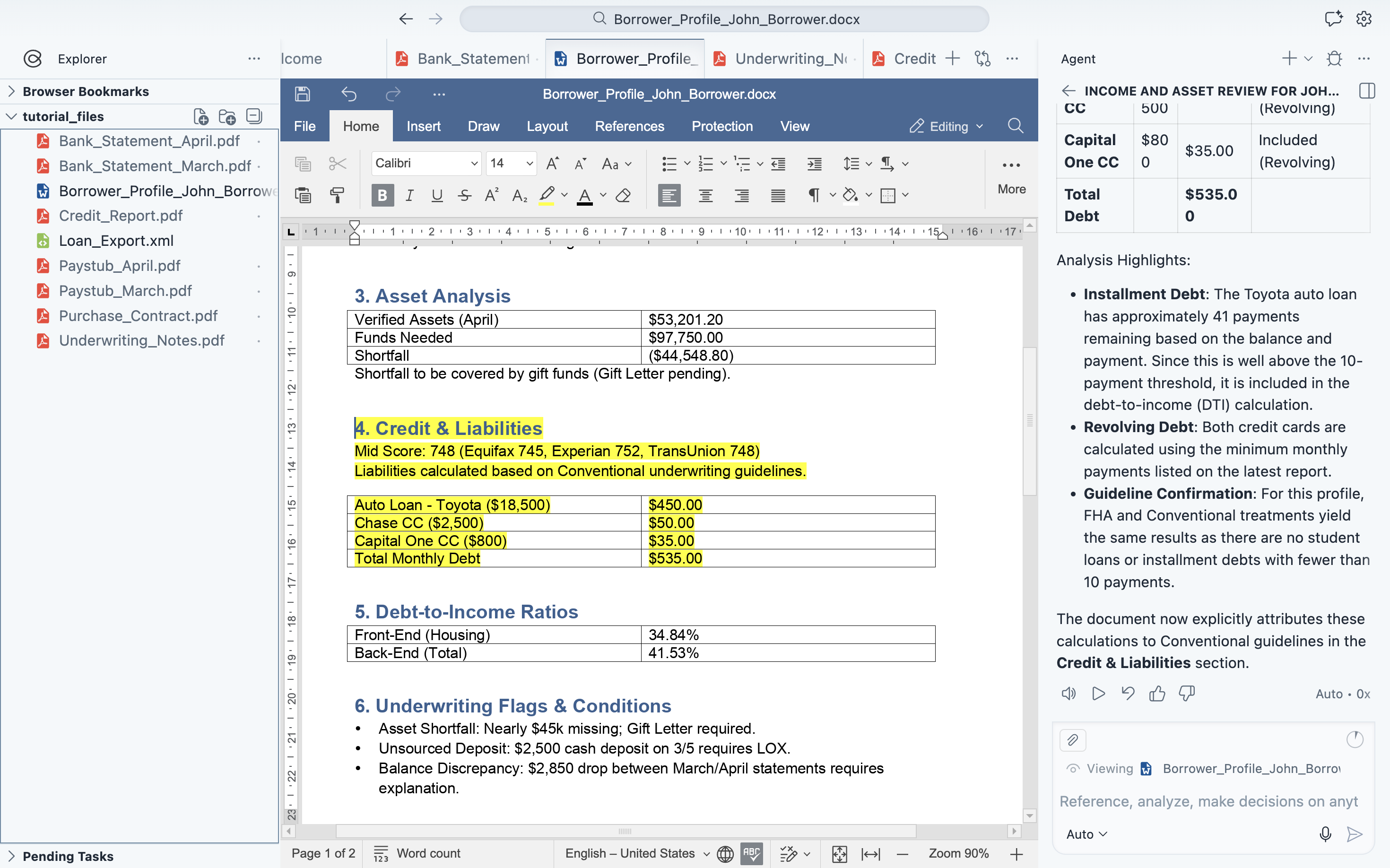
Cortex reads the credit report and automatically calculates liabilities using the right guidelines — 0.5% of balance for FHA, 1% for conventional. Everything is integrated into the borrower profile.
Verify property and compliance details
“Estimate property taxes, homeowners insurance, and check for any inconsistencies with notes.”
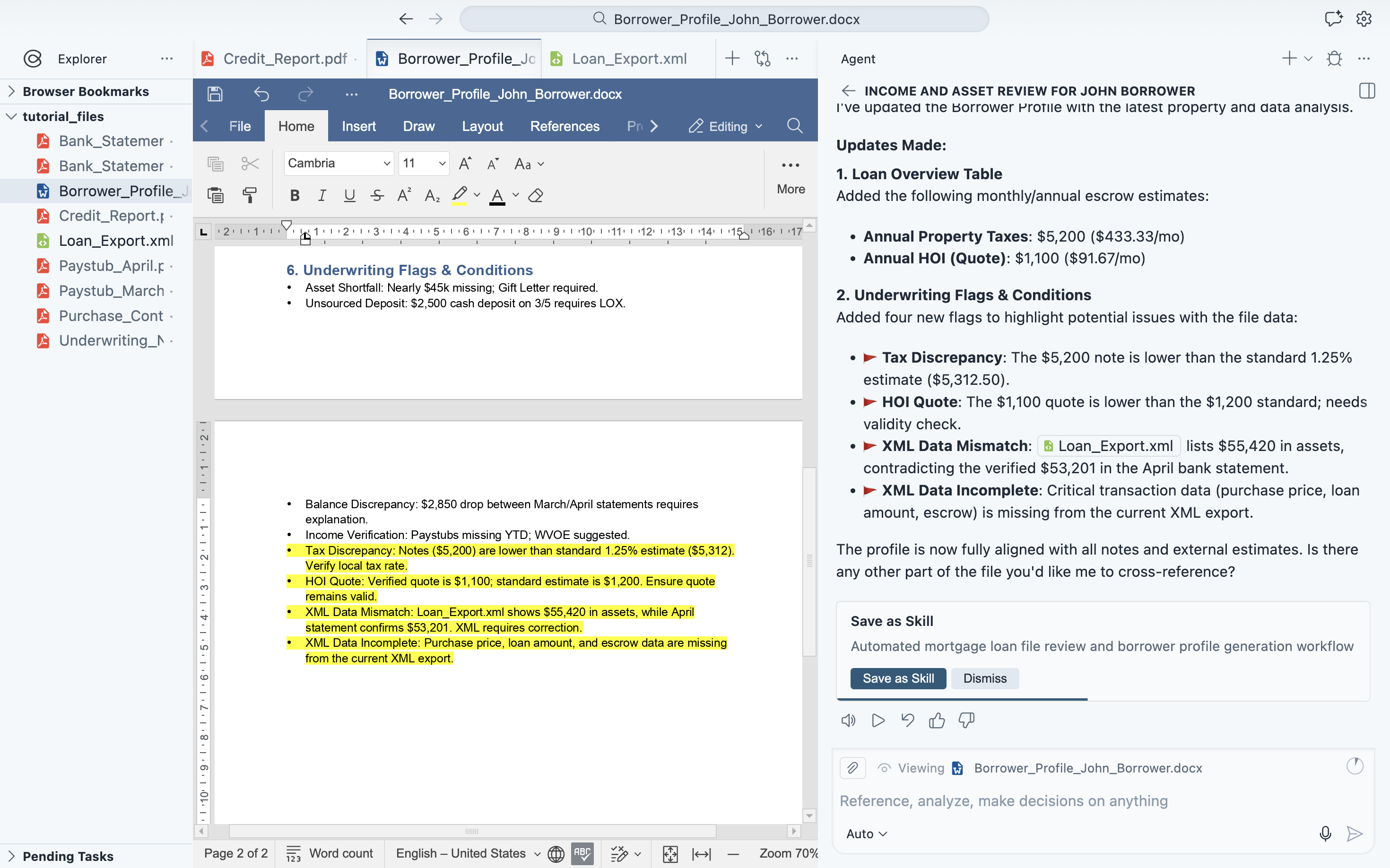
Cortex looks up property tax and homeowners insurance estimates, cross-references them against QuickBase notes, and flags any inconsistencies — so nothing slips through before submission.
Update Encompass / LendingPad and generate MISMO XML
“Use this information to update the loan file and generate MISMO XML.”
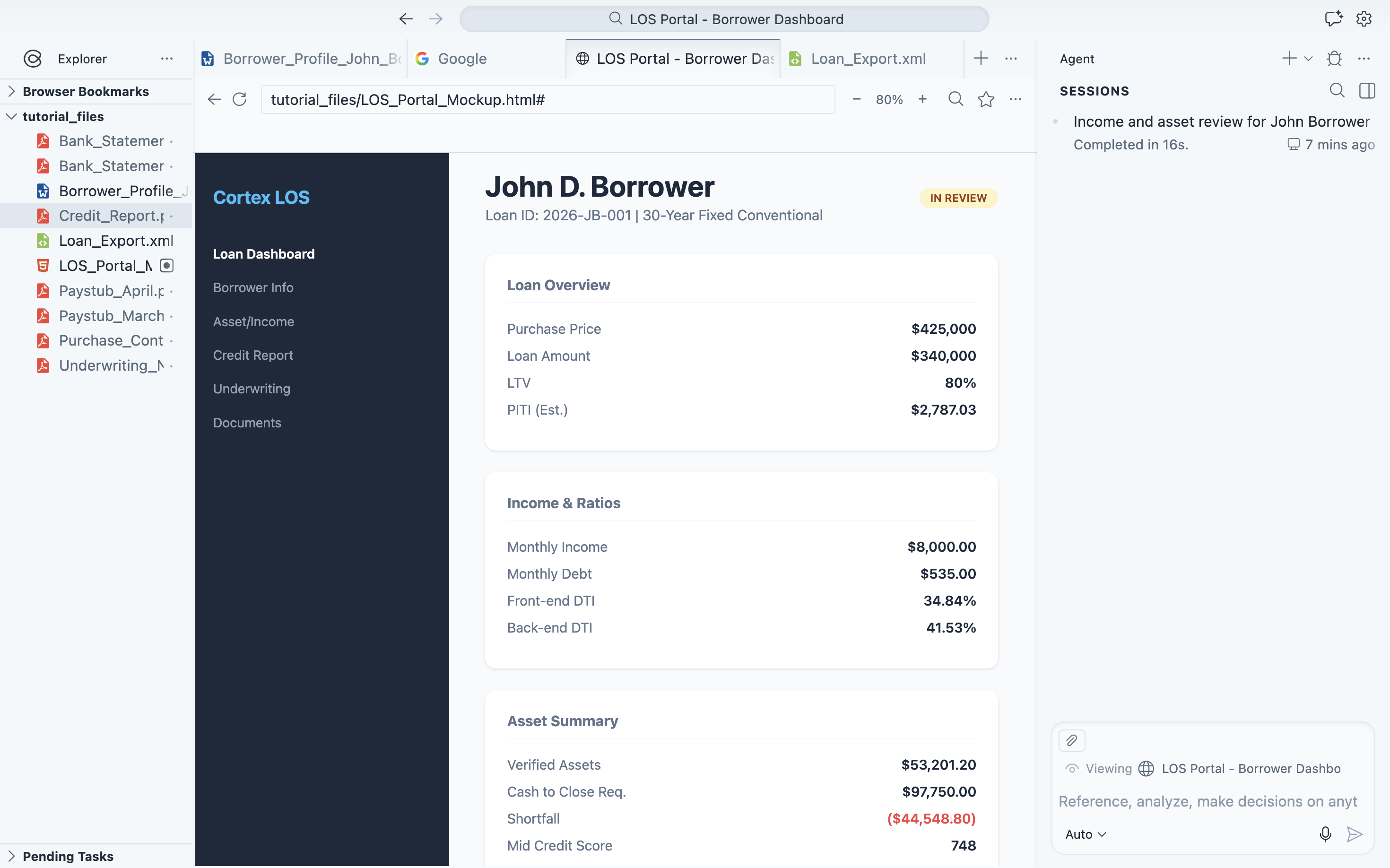
Cortex maps all the organized data to your LOS fields — Encompass, LendingPad, Calyx Point, or any web-based system — and updates them directly. It also generates a compliant MISMO XML file, ready for export. You review everything before it's submitted.
Ready to try it yourself?
Download Cortex and follow along with this workflow.