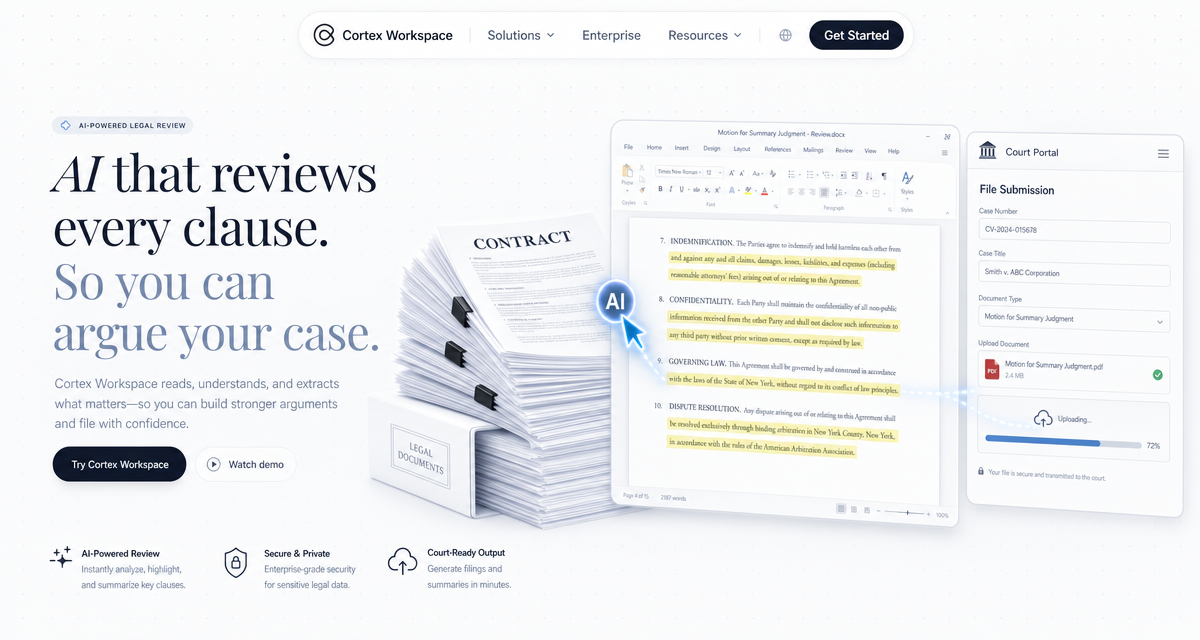
Cortex Workspace is an AI operator that executes legal tasks directly inside PDF readers, Microsoft Word, Outlook, court e-filing portals, and case management systems like Clio and MyCase. It replaces the mechanical work that consumes most of a lawyer's day: indexing evidence, re-typing case details into government forms, and scanning dozens of contracts for missing clauses. Unlike chatbot-style tools that only give advice, Cortex takes action inside the same applications your firm already uses.
- Zero Indexing By Hand — Cortex reads a folder of PDF evidence and builds a court-ready exhibit list in Excel with dates, parties, and summaries.
- Automated E-Filing — Cortex logs into the court portal, selects the correct case type, and uploads supporting documents one by one.
- Clause-Level Contract Review — Cortex opens every contract and checks for required clauses, leaves Word comments where language is missing or non-compliant, and generates a summary risk report.
- Case Status Sync — Hearing dates from court emails are logged into your case management system and calendar automatically.
- No integration required — Cortex operates the same interfaces your firm already uses.
Cortex is designed for practicing lawyers, in-house counsel, legal operations teams, and paralegals who process volumes of documents and manage multiple matters at once. If your work involves moving between PDF exhibits, court portals, case management systems, and Word templates — this workflow applies to you.
Every legal practice runs some version of the same four-step loop:
- Evidence review — Hundreds of pages of scanned PDFs, message logs, and receipt images have to be read, classified, and listed in an exhibit index.
- Court filings — Submitting materials to the e-filing portal means re-entering the same case number, parties, and matter type dozens of times.
- Contract review — Each external contract has to be scanned for required clauses — arbitration, governing law, termination, IP assignment.
- Case tracking — Court notifications by email have to be manually entered into the CMS and the partner's calendar.
None of this requires legal judgment. All of it consumes the time that judgment depends on.
- Evidence "needle in a haystack" — Paralegals manually flip through hundreds of pages, transcribing dates and amounts into the exhibit log.
- Repetitive form filling — The same case number and party details typed into the e-filing portal on every submission, dozens of clicks per filing.
- Template substitution risk — Manually replacing "Party A" / "Party B" / "Governing Jurisdiction" in every contract. A single missed replacement can trigger a multi-million-dollar exposure.
- Professional risk from fatigue — Eye strain and late nights mean important clauses get missed — the single biggest operational risk in a law firm.
- Senior time on junior work — Qualified attorneys spending 90% of their day on formatting, file naming, and data entry instead of strategy.
- Calendar slippage — Hearing dates from court emails miss the CMS, and deadlines get missed.
Cortex acts as a visual operator across your existing tools — no plugin, no integration, no new software for your team to learn.
Cortex scans every PDF in a folder and identifies the date, parties, and subject of each document. It opens your exhibit list in Excel, fills in every row in court-ready format, and stamps an exhibit number on the first page of each PDF.
Indexing 100 pieces of evidence drops from 5 hours to roughly 10 minutes, with every entry formatted to the submission standard.
Cortex reads your matter list from Excel, logs into the court portal, selects the right case type, and uploads each supporting document based on file paths in the sheet. You confirm the final submission — Cortex handles every click, wait, and upload before that.
Need to check 50 external contracts for your firm's required arbitration clause? Cortex opens each one, searches for the relevant language, and flags conflicts or omissions. Where a clause is missing or non-compliant, it inserts a Word comment — "This clause does not meet our standard. Suggested revision: …" — and produces a firm-wide risk summary across the full batch.
You review the exceptions, not every page of every contract.
Cortex watches Outlook for court notifications, extracts the hearing date and matter number, and writes them back into your CMS and the responsible attorney's calendar. No more deadlines lost in an inbox.
The shift is not just about faster turnaround — it's about what your lawyers spend their day doing.
- From typist to advocate. Lawyers spend their time on argument and strategy, not formatting and exhibit numbering.
- Compliance risk drops. "Find and verify" runs by AI, so fatigue-driven omissions stop slipping through.
- Paralegal capacity multiplies. Evidence organization that took days is done in under an hour — the same headcount covers more matters.
- Deadline risk approaches zero. Every court email is captured, reconciled, and put on the right calendar automatically.
The four scenarios above are a proven starting point, not a fixed process. Cortex is command-driven — your team can modify or extend any step in plain language, no coding required.
Common extensions firms build on top:
Redaction at scale. Cortex can process an entire production set, redact PII or privileged content using your firm's standard list, and output both the clean version and the privilege log.
Deposition prep. Given a witness name, Cortex can pull every mention across exhibits, email threads, and deposition transcripts, and produce a chronological summary with source citations.
Billing & matter logs. Cortex can read time entries from your drafting window or email, categorize them by matter and task code, and post them into your billing system.
If a task currently moves information between a PDF, a Word document, a court portal, or your CMS, it can be described to Cortex as a command and executed on demand.
Pick the slice of your practice that takes the most hours and the least judgment — usually evidence indexing or contract review — and let Cortex run it once under your supervision. Cortex runs on your computer, works with the tools your firm already uses, and doesn't need IT approval or any integration.
Your next filing can start with a clean exhibit list and end with reviewed contracts, without a single billable hour spent on copy-paste.