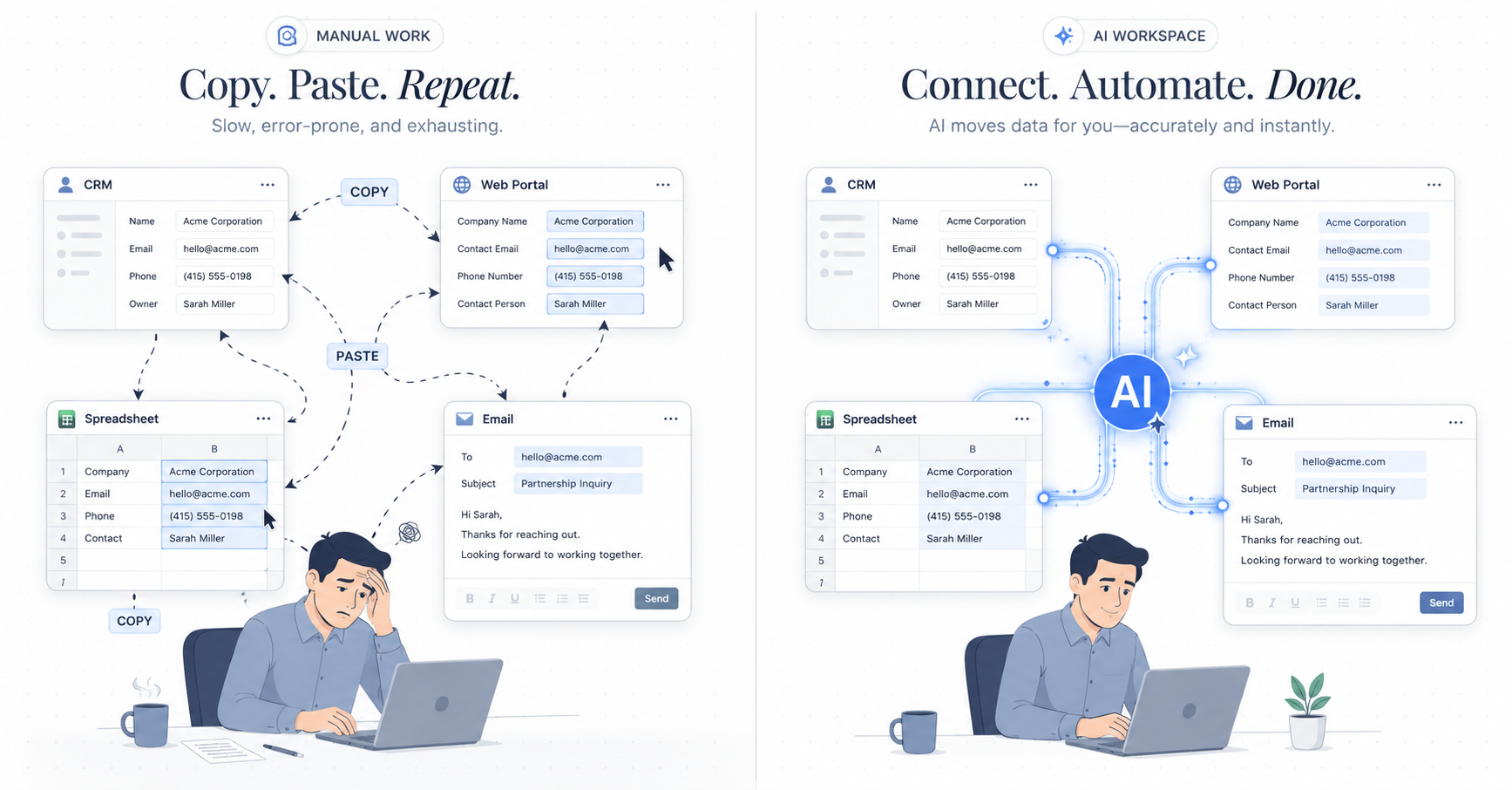
For most operational teams — loan officers, accountants, legal assistants, insurance agents, claims processors — a surprising amount of the workday isn't decision-making. It's transportation. Moving the same data point from one tab to another. Reading a PDF, opening a form, typing it in. Switching to the CRM, copying a number, pasting it into a tracker.
Every handoff is small. The total is not. A study of operational workflows finds that knowledge workers who work across multiple systems spend 30-40% of their day on data movement — not on the work they were hired to do. Consumer assistants like Siri and frontier chat models address different ends of that spectrum; see Siri App Intents vs AI Desktop Agent for Productivity in 2026 for where each falls short on daily office work.
The cost isn't just time. It's also:
- Errors — every copy-paste is a chance to mistype, skip a field, or paste into the wrong row.
- Context loss — switching between windows fragments attention and makes complex tasks feel harder than they are.
- Rework — catching a single wrong value later often means redoing the entire downstream workflow.
#Why Integrations and RPA Don't Solve Cross-System Data Entry
The usual answer is: integrate your systems. Hook the CRM up to the portal. Connect the spreadsheet to the database. Done.
In practice, this rarely works for operational teams:
- Most of the systems you work in don't have APIs — they're legacy internal tools, vendor portals, government filing systems, or web apps without developer access.
- Even when APIs exist, setting up an integration requires IT tickets, engineering time, and ongoing maintenance.
- Integrations are brittle — one schema change upstream and the whole pipeline breaks.
- Integrations handle standard flows, not edge cases. Most of your day is edge cases.
So the copy-paste work continues. Not because it couldn't be automated in theory, but because the overhead of automating each individual flow has always been higher than just doing it by hand.
#What AI Agents Change About Data Entry Automation
An AI agent doesn't need an API. It operates the same way you do — by reading what's on your screen and acting on it. That shift unlocks a different class of automation:
- Any web app, any desktop software. If you can see it and click it, the agent can too. No integration required.
- Understands context, not coordinates. The agent knows that "Borrower Full Name" on one screen maps to "Applicant" on another, even when the layouts are totally different.
- Handles formatting differences. Date formats, phone number styles, currency symbols, truncated addresses — the agent normalizes as it goes.
- Cross-checks before submitting. Before anything is typed into the destination system, the agent flags mismatches, missing fields, and values that look unusual.
The result is that work which used to require IT support, a developer, or a dedicated RPA project can now be delegated with a single sentence.
Take a common loan officer workflow: taking borrower information from an intake form PDF and entering it into the LOS (Encompass, LendingPad, or similar), then updating a tracker spreadsheet.
Before: Open PDF. Open LOS in browser. Copy borrower name. Switch tabs. Paste. Switch back. Copy DOB. Switch tabs. Reformat date. Paste. Continue for 30+ fields. Switch to tracker. Log completion. Move on to next borrower.
Total time: 15-20 minutes per file, with a non-trivial error rate.
With an AI agent: Open the PDF and the LOS side by side. Tell the agent: "Move the borrower info from this intake into Encompass, then log it in my tracker."
The agent reads the form, maps each field to its destination, flags one date that looks ambiguous, asks for confirmation, then completes the rest — including the tracker update.
Total time: under 2 minutes, with every step visible so you can intervene if something looks off.
You don't need custom software or a data science team. The practical path:
- Pick the highest-volume copy-paste task in your workflow. What are you re-entering the most this week?
- Run it side by side. Open your source and destination systems together in Cortex and describe the task in plain language.
- Review, don't rebuild. The agent walks through each step visibly. Approve what looks right, correct what doesn't. Over time it gets better at your specific patterns.
- Expand to adjacent tasks. Once one flow is automated, the same pattern applies to the next one — tracker updates, confirmation emails, flagging records complete.
The meaningful shift isn't just speed. It's what you spend time on:
- Fewer mechanical tasks, more judgment work. You focus on the borrowers, cases, or clients that need actual thinking.
- Fewer errors, less rework. Automated transfers are consistent in ways manual entry never is.
- Less context-switching fatigue. You stop swapping between 7 tabs just to move one number.
- Faster cycle times. Work that used to queue up in your inbox moves through in real time.
Cortex is built for exactly this kind of cross-system operational work. It runs on your computer, works across any app or portal you already use, and doesn't need an integration. Whether you're processing loan files, tax returns, or contracts, Cortex handles the mechanical transfer so you can focus on the decisions only you can make. Accountants evaluating the broader AI tool landscape should also read Best AI Tools for Accountants in 2026.
Try it with your own workflow. The copy-paste ends today.