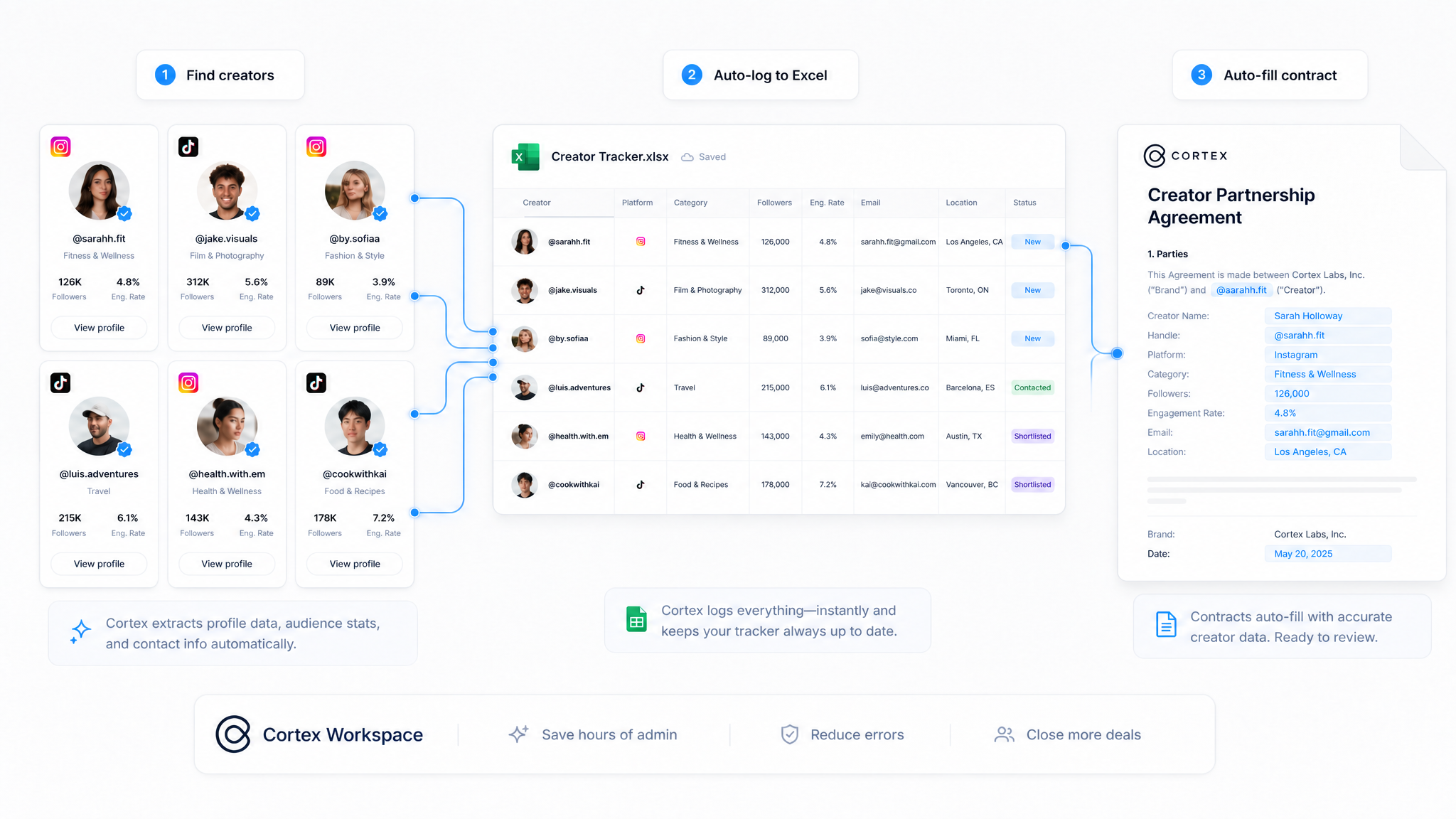
Cortex Workspace is an AI operator that executes tasks directly inside Instagram, TikTok, Gmail, Excel, and Microsoft Word. It replaces the manual admin work that slows down influencer ops teams: capturing creator data, drafting outreach, syncing replies, and generating legal-ready contracts. Unlike chatbot-style AI tools that only give advice, Cortex takes action. In fact, a single Cortex workspace can produce 100+ tailored KOL contracts in under five minutes.
- Zero Data Entry — Cortex extracts creator handles and emails directly from social profiles into Excel.
- Human-Scale Outreach — Draft personalized emails in Gmail/Outlook using live tracker data — no copy-pasting required.
- Automatic Sync — Cortex monitors your inbox for replies and auto-updates your tracker with quotes and availability.
- Bulk Legal Generation — Generate 100+ tailored contracts in minutes by reading finalized deal terms from your spreadsheet.
- No coding or workflow configuration required — Cortex operates the same UI your team already uses.
The first bottleneck in any campaign is manual data logging. Cortex eliminates this by acting as a browser operator. When you navigate to a creator's profile, Cortex reads the UI directly to extract the handle, follower count, and contact email (or any other credentials, you name it). It then logs each entry into your KOL Tracker Excel sheet automatically.
The result: a perfectly structured database from the very first profile you visit. Your team starts campaign planning with clean data already in place, without a single second spent on tab-switching or manual transcription.
Scaling outreach without losing personalisation is one of the hardest problems in influencer ops. Cortex solves it by reading your populated Excel entries and drafting individual invitation emails in Gmail for each creator.
Because Cortex pulls data directly from your tracker (follower count, platform, niche), each email can reference the creator's specific stats and context, making the pitch feel researched rather than templated. Your team reviews and sends; Cortex handles the drafting. This means a campaign targeting 50 creators takes the same outreach effort as a campaign targeting five.
Managing inbox replies is where most workflows break down. Details get missed and spreadsheets fall out of date.
Cortex monitors your inbox for responses and extracts two critical data points: the quoted rate and the available window. Both are written back into your Excel Tracker automatically. By the time you review your responses, the data is already structured and ready for decision-making. No more manual reading and transcribing of every individual email.
Once deal terms are confirmed in your tracker, Cortex handles the final legal execution. It reads the finalized quotation and account ID from your spreadsheet and performs an automated find-and-replace inside your standard Microsoft Word contract template.
Each placeholder is replaced with creator-specific information. This produces a tailored agreement ready for review and signing in seconds. As industry standards for speed increase, Cortex ensures you never lose a creator to a competitor due to a slow legal process.
Cortex is designed for influencer ops teams and marketing professionals who run campaigns across multiple creators and need their tools (Instagram, TikTok, Gmail, Excel, Word) to work together without manual bridging.
It is not a chatbot that advises on workflow. It is an AI operator that executes tasks inside the same applications your team already uses, with no new software to learn and no workflow configuration required. If your role involves moving data between a social platform, a spreadsheet, an inbox, and a contract template, Cortex automates that entire chain.
The four steps above are a proven starting point, not a fixed process. Cortex is command-driven, meaning your team can extend, modify, or chain any part of the workflow using plain-language instructions — no coding required.
Here are three examples of how teams commonly extend the default workflow:
Send tailored contracts at scale. Once contracts are generated, you can instruct Cortex to send each one directly to the corresponding creator.
Organise signed contracts and draft posts for review. As creators return signed agreements and submit their draft content, Cortex can retrieve each file from your inbox, rename and sort them by creator, and store them in a structured folder.
Turn your tracker into a campaign performance report. When a campaign wraps, Cortex can read your KOL Tracker and generate a formatted performance summary, ready for stakeholder review.
These are starting points. Any repetitive task that currently moves data between your inbox, spreadsheet, documents, or social platforms can be described to Cortex as a command and executed on demand.
If your team is running KOL campaigns today, pick the step that takes the most time — usually data capture or contract generation — and try automating that first. Cortex runs on your computer, works with the tools you already use, and doesn't require any integration or setup.
Your next campaign can start with clean data and end with signed contracts, without your team touching a single copy-paste in between.