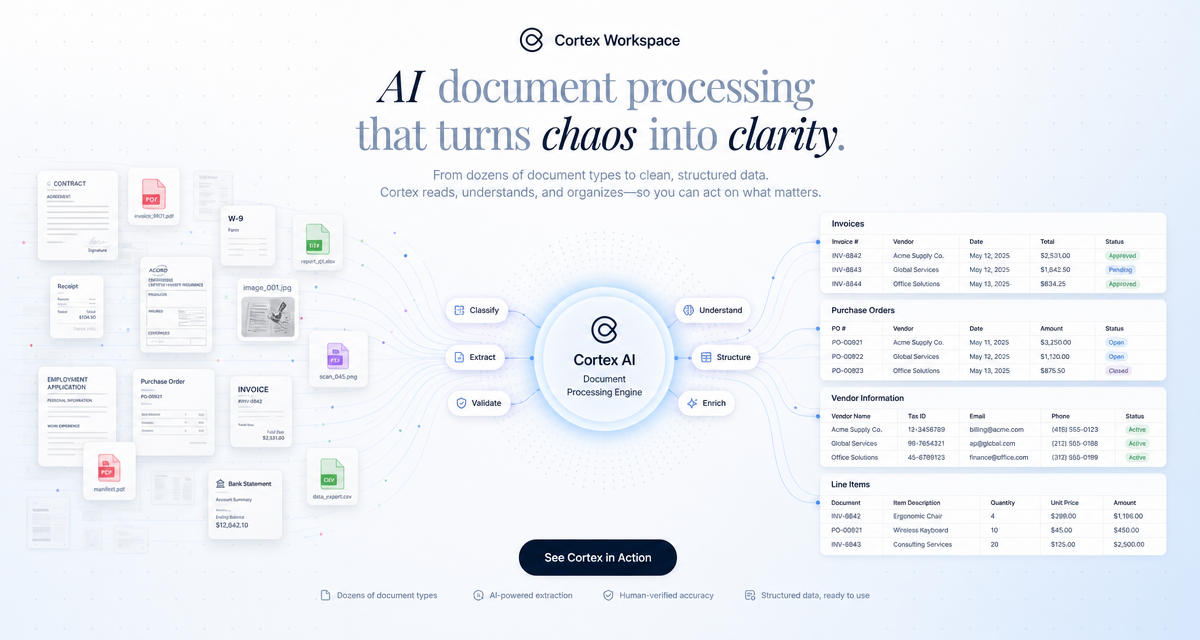
Every knowledge worker knows the feeling: a stack of PDFs, contracts, receipts, or forms that need to be read, understood, and acted on. Whether it's reviewing a lease agreement, extracting data from tax returns, or summarizing a research paper, document work is repetitive, error-prone, and time-consuming.
For most teams, this means hours of manual effort every week — copying data between tools, double-checking numbers, and formatting outputs. The cost isn't just time. It's the mental overhead of context-switching between documents, spreadsheets, and communication tools.
Traditional automation tools follow rigid rules: if a field is in a specific location on a specific form, extract it. AI agents take a fundamentally different approach. They read and understand documents the way a human would — but faster and without fatigue. For a broader look at how desktop agents compare to consumer assistants and frontier chat models, see Siri App Intents vs AI Desktop Agent for Productivity in 2026.
Here's what that looks like in practice:
- Read any format — PDFs, scanned images, Word documents, spreadsheets, and even handwritten notes. The agent adapts to the document rather than requiring the document to fit a template.
- Extract with context — Instead of pulling text from fixed coordinates, the agent understands what a "total amount" or "effective date" means in context, even when the layout varies between documents.
- Take action — The real value isn't just extraction. It's what happens next: populating a spreadsheet, flagging anomalies, drafting a summary, or routing a document for approval.
Loan officers spend significant time verifying income from pay stubs, tax returns, and bank statements. An AI agent can read all three document types, cross-reference the numbers, flag discrepancies, and produce a verification summary — in seconds instead of minutes.
Legal teams review dozens of contracts per week, checking for non-standard clauses, missing terms, and compliance issues. An AI agent scans the full document, highlights risky language, and compares terms against your standard playbook.
Finance teams manually enter receipt data into accounting systems. An AI agent reads the receipt (photo or PDF), extracts the vendor, date, amount, and category, and populates your expense system automatically. For a comparison of dedicated accounting capture tools (Dext, AutoEntry) and how they fit alongside agent workflows, see Best AI Tools for Accountants in 2026.
Researchers need to stay current with published literature but can't read every paper. An AI agent summarizes key findings, extracts methodology details, and identifies papers that cite or contradict existing work.
You don't need to build custom ML models or hire a data science team. Modern AI agents work out of the box with most document types. Here's a practical path:
- Identify your highest-volume document task. What do your people spend the most time reading and processing? Start there.
- Define the output. What should the result look like? A filled spreadsheet row? A summary email? A flagged list of issues? Be specific.
- Run a pilot. Process 10-20 real documents through the agent. Compare the results against manual processing for accuracy and time savings.
- Iterate on edge cases. Every document workflow has exceptions. Use the pilot to identify where the agent needs guidance and refine accordingly.
The shift from manual to automated document processing isn't just about speed. It changes what your team spends their time on:
- Less data entry, more judgment calls. People focus on the exceptions and decisions that require human expertise.
- Faster turnaround. Documents that took days to process move through in hours or minutes.
- Fewer errors. Consistent extraction eliminates the typos and missed fields that come with manual work.
- Better audit trails. Every document processed by an agent is logged with full traceability.
Cortex is built for exactly this kind of work. It reads every file format, automates browser tasks, and connects to your existing tools — all from a single AI workspace. Whether you're processing contracts, tax returns, or research papers, Cortex handles the repetitive work so your team can focus on what matters.
Try it with your own documents and see the difference.