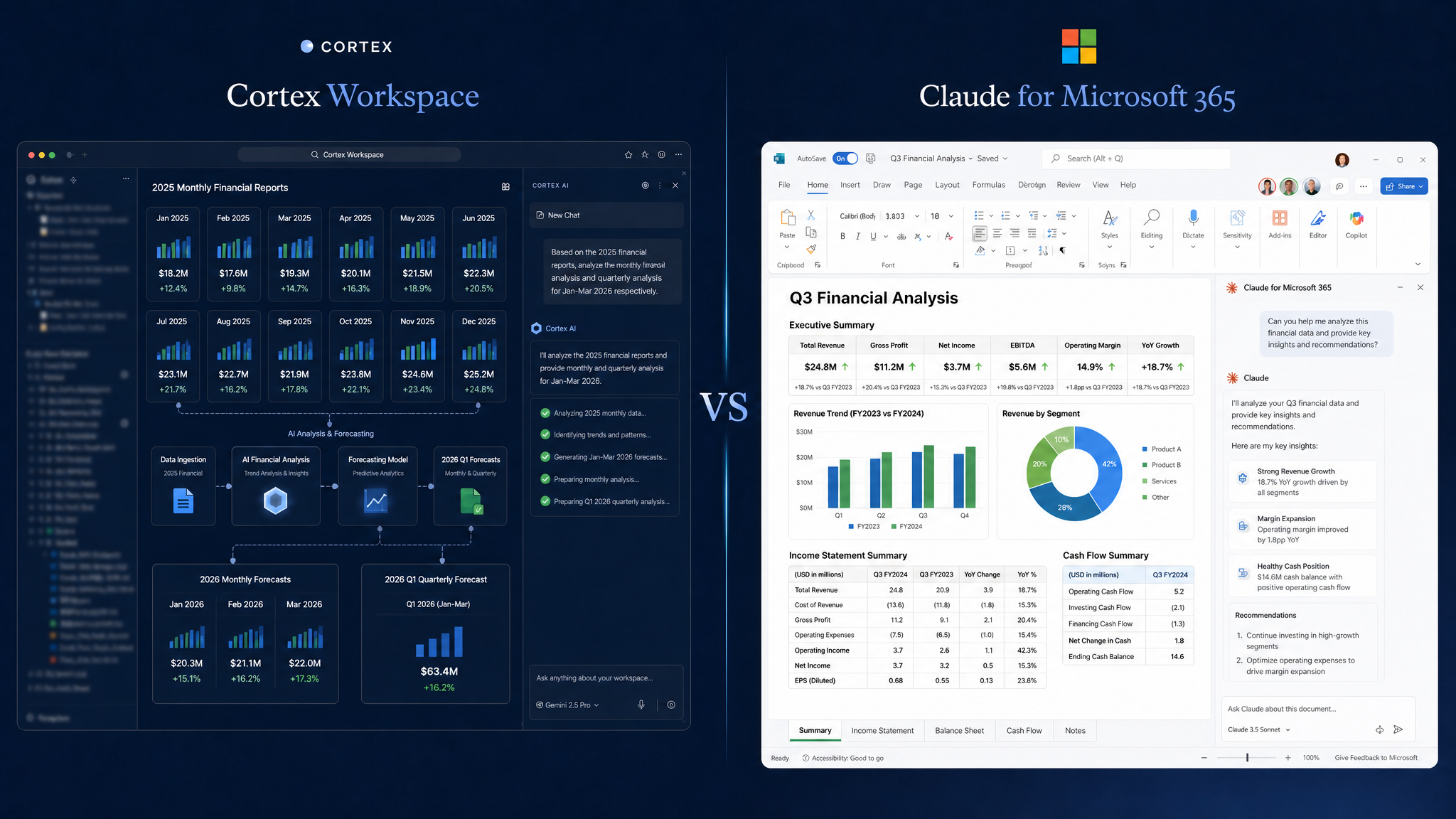
Both tools use AI to reduce manual work across your files and apps. But they're built for different teams, different stacks, and different definitions of "workflow." Cortex Workspace is an AI desktop operator that executes tasks across any app or file type; Claude for Microsoft 365 is Anthropic's AI embedded into the Microsoft 365 Copilot infrastructure. This article maps each tool to the scenarios where it genuinely wins, so you can make a practical call, not a tribal one.
- Both Cortex Workspace and Claude for Microsoft 365 transfer data across files and apps without manual copy-pasting — but they diverge significantly in batch capability and platform scope.
- Cortex processes an entire folder of files in a single command; Claude for Microsoft 365 operates on one file at a time, with the AI assisting within each document individually.
- Cortex supports any browser-based app, file type, or AI model (including ChatGPT and Gemini), making it the practical choice for teams whose workflows extend beyond the Microsoft ecosystem.
- Claude for Microsoft 365 is available on all paid plans with add-ins for Word, Excel, and PowerPoint generally available and Outlook in beta.
The core promise shared by both Cortex Workspace and Claude for Microsoft 365 is the same: stop making humans retype information that already exists somewhere else.
In practice, this looks like:
- Pulling figures from a spreadsheet and inserting them into a Word report
- Reading data from one document and populating fields in another
- Moving information across windows without copy-pasting it manually
This capability — call it cross-window data transfer or AI-assisted document bridging — is real, useful, and available in both tools. If that's the only job you need done, either option will serve you.
The difference shows up when your workflow gets more complex.
Claude for Microsoft 365 (integrated into the Microsoft 365 Copilot infrastructure) is purpose-built for teams already living inside the Microsoft ecosystem.
#1. Persistent Conversation Context Across M365 Apps
Claude carries the full context of your conversation as you move between Microsoft applications. Context you build in a Word document (a project brief, a set of requirements, a data summary) carries over when you switch to Excel or Outlook without re-explaining it. For teams whose entire workflow lives inside M365, this continuity removes a meaningful layer of friction from day-to-day work.
For teams already running on Microsoft 365, this means there is no additional software to install and no new interface to learn. The add-ins install directly into your existing Office applications. For enterprise IT teams managing rollouts, that zero-friction deployment is a meaningful operational advantage over tools that require standalone setup.
According to Anthropic's official Claude for Microsoft 365 page, Claude add-ins for Excel, PowerPoint, and Word are now generally available on all paid plans, with Claude for Outlook in public beta on paid plans.
Best fit: Enterprise teams standardised on Microsoft 365 who want AI embedded into their existing tools with zero workflow disruption.
This is the clearest functional gap between the two tools.
With Cortex, you can issue one instruction like:
"Scan all the invoices in this folder and consolidate the totals into a new Excel file."
Cortex reads every file in that folder, extracts the relevant data, and outputs a structured spreadsheet — in one command, without you touching a single file manually.
With Claude for Microsoft 365, the same task requires a different approach: you open one document, extract what you need, move to the next, and repeat. The AI assists within each file; it does not operate across a batch of files at once.
For teams processing high volumes of documents (invoices, contracts, intake forms, campaign reports) this difference is not marginal. In internal Cortex testing, consolidating 20 invoices into a structured spreadsheet took under 2 minutes using a single batch command; the equivalent task processed file by file averaged 40 minutes.
Cortex is not a Microsoft Extension product. It works across:
- File types: PDFs, Excel, Word, plain text, images, and more
- Browsers and web apps: Google Suite (Google Doc, Sheet, Gmail, etc.), CRMs (e.g. HubSpot), accounting platforms (QuickBooks, Xero, NetSuite), legal tools (Clio), mortgage software (Encompass), portals (e.g. LendingPad), and any browser-based tool
If your team's real workflow involves pulling data from a PDF invoice, cross-referencing a Google Sheet, and updating a web portal — Cortex handles that end-to-end. Claude for Microsoft operates within the M365 suite; apps and files outside that environment are not its native territory.
Cortex does not lock you into a single AI model. Teams can run Cortex with the model they already trust or have licensed, including ChatGPT, Gemini, or Claude itself. This matters for:
- Teams with existing enterprise AI agreements
- Workflows where different models perform better on different task types
- Organisations that want to avoid single-vendor dependency on their AI layer
Claude for Microsoft runs on Claude. That is a coherent choice for Anthropic-first teams, but it is a constraint for everyone else.
| Use Case | Claude for Microsoft | Cortex Workspace |
|---|
| Enterprise team fully on Microsoft 365 | ✅ Strong fit | ✓ Works, but overkill setup |
| Batch processing: scan a folder of invoices → Excel | ✗ One file at a time | ✅ Native capability |
| Working across Gmail, TikTok, PDFs, and web portals | ✗ Outside M365 scope | ✅ Full support |
| Deep Outlook / Teams / SharePoint context | ✅ Native integration | ✓ Possible via browser |
| Teams with a preferred AI model (GPT, Gemini) | ✗ Claude only | ✅ Model-agnostic |
| High-volume document workflows (contracts, invoices, onboarding) | Limited | ✅ Built for this |
| Zero-setup deployment for M365 users | ✅ Already there | Requires setup |
If your team runs entirely on Microsoft 365 and you want AI assistance embedded in the tools you already use — Claude for Microsoft 365 is a logical, low-friction choice. It integrates without disruption and performs well within its ecosystem.
If your workflow spans multiple platforms, involves batch document processing, or lives outside the Microsoft stack — Cortex Workspace is the more capable operator. The ability to issue one command across an entire folder of files, combined with cross-app and cross-browser support, makes it the practical choice for operations teams, marketing teams, and anyone managing high volumes of documents across varied systems.
The question is not which tool is smarter. It's which one can actually do the work your team needs done — across the files, apps, and platforms your team actually uses.
Try Cortex for free and see how it automates your repetitive office workflows across documents, spreadsheets, browser portals, and internal tools.